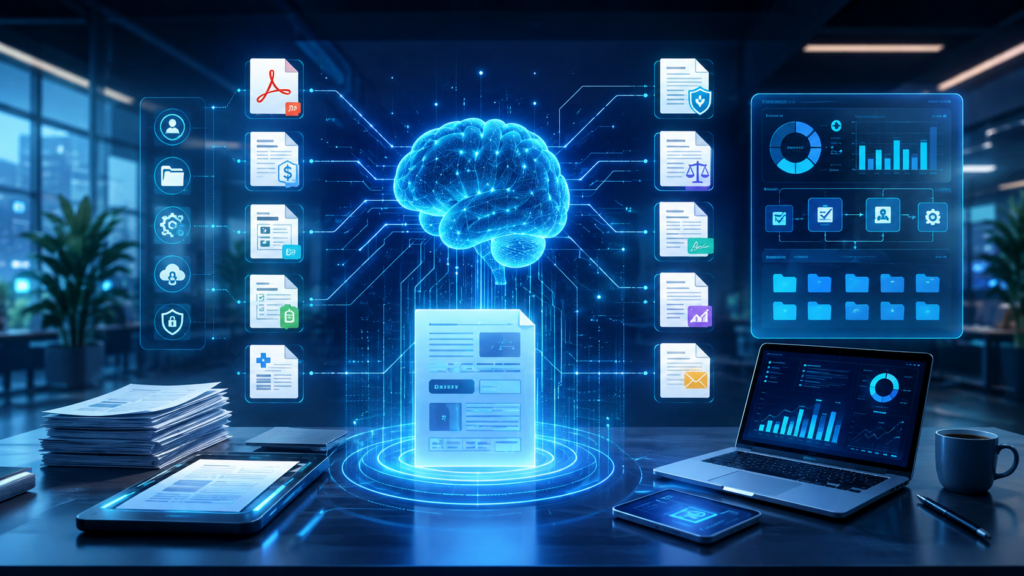
📄 AI Document Processing: The Ultimate Enterprise Guide to Intelligent Document Processing (IDP), OCR, NLP, and AI-Powered Document Automation
The 3:00 AM Invoice Nightmare
It’s 3:00 AM at a mid-sized manufacturing company. The accounts payable team is drowning in a mountain of invoices—hundreds of PDFs, scanned images, emails, and handwritten receipts. Each document must be manually reviewed, data extracted, validated against purchase orders, and entered into the ERP system. The team is spending 80% of their time on data entry and only 20% on strategic analysis .
This scenario plays out in enterprises around the world every single day. Organizations process vast volumes of business documents—invoices, purchase orders, receipts, delivery notes, contracts, claims, and forms—often requiring manual data entry into enterprise systems . The volume of unstructured data like documents, audio, video, and images is rapidly increasing, creating an urgent need for automation .
Intelligent Document Processing (IDP) transforms this operational burden by leveraging AI to automatically extract, validate, and route document data to systems of record, enabling organizations to reduce manual effort, accelerate cycle times, and improve data accuracy . This guide covers everything you need to know about AI document processing—from foundational concepts to enterprise-grade architecture, from OCR fundamentals to LLM-powered document understanding.
📖 What Is AI Document Processing?
AI Document Processing (also known as Intelligent Document Processing or IDP) is the use of artificial intelligence, machine learning, and automation technologies to convert unstructured and semi-structured documents into structured, actionable data . It combines multiple AI capabilities—optical character recognition (OCR), computer vision, natural language processing (NLP), and large language models (LLMs)—to automate the extraction, classification, and validation of document content .
The Three-Layer Document Processing Architecture
Modern IDP solutions follow a three-layer architecture pattern separating document intake, extraction and enrichment, and posting :
text
┌─────────────────────────────────────────────────────────────────┐
│                    INGESTION LAYER                              │
│  • Email, SharePoint, and mobile app channels                  │
│  • Manual upload through workspace UI                          │
│  • Pre-processing middleware for complex routing               │
└─────────────────────────────────────────────────────────────────┘
                               │
                               ▼
┌─────────────────────────────────────────────────────────────────┐
│                 EXTRACTION AND ENRICHMENT LAYER                 │
│  • AI-powered classification and extraction                    │
│  • Confidence scoring (85-95% accuracy) [citation:4]           │
│  • Master data enrichment and business rule validation         │
│  • Human-in-the-loop review for low-confidence cases           │
└─────────────────────────────────────────────────────────────────┘
                               │
                               ▼
┌─────────────────────────────────────────────────────────────────┐
│                     POSTING LAYER                               │
│  • Integration with ERP, CRM, and core business systems        │
│  • Automated workflow triggers                                 │
│  • Audit trail and compliance logging                          │
└─────────────────────────────────────────────────────────────────┘
Key Capabilities of Modern IDP
🧠 Evolution of Document AI
Traditional OCR: The First Generation
Traditional OCR systems could only extract characters from images using fixed, rigid templates to map characters to data schemas. They required extensive preprocessing by humans and struggled with document variations, poor image quality, and complex layouts .
The Rise of Intelligent Document Processing
The IDP market has grown to include over 100 vendors offering full solutions or individual components . Modern IDP solutions leverage AI to reliably extract data from content, imperfectly replacing work with automation. Instead of using fixed templates, their AI utilizes contextual cues to autonomously map characters from multiple formats and varying layouts of content to data schemas .
The Generative AI Revolution
With the integration of large language models (LLMs) and generative AI capabilities, IDP can now not only extract and classify information from unstructured data but also generate concise summaries and derive actionable insights. By leveraging the powerful language understanding and generation capabilities of LLMs, IDP provides higher-level abstractions and synthesizes information from multiple sources .
🏗️ How AI Document Processing Works: The Complete Pipeline
End-to-End IDP Workflow on Modern Data Platforms
Leading platforms like Databricks enable intelligent document processing as a unified, end-to-end workflow directly on the Lakehouse. Ingestion, parsing, enrichment, and downstream analysis are built on a single platform, so each stage works seamlessly together without requiring complex integration or data movement .
text
┌─────────────────────────────────────────────────────────────────┐
│                    INGEST AND ORCHESTRATE                       │
│  Use Lakeflow pipelines to ingest raw documents                │
│  (PDFs, images, DOCX files)                                    │
└─────────────────────────────────────────────────────────────────┘
                               │
                               ▼
┌─────────────────────────────────────────────────────────────────┐
│                    PARSE DOCUMENTS (BRONZE LAYER)               │
│  Apply ai_parse_document to convert raw files into structured  │
│  representations: text, tables, image descriptions,            │
│  and document structure                                        │
└─────────────────────────────────────────────────────────────────┘
                               │
                               ▼
┌─────────────────────────────────────────────────────────────────┐
│                    EXTRACT AND CLASSIFY                         │
│  Use ai_extract and ai_classify to enrich parsed documents     │
│  with structured fields and metadata                           │
└─────────────────────────────────────────────────────────────────┘
                               │
                               ▼
┌─────────────────────────────────────────────────────────────────┐
│                    PREPARE FOR RETRIEVAL                        │
│  Apply ai_prep_search to transform parsed documents into       │
│  semantic chunks with document-level context                   │
└─────────────────────────────────────────────────────────────────┘
                               │
                               ▼
┌─────────────────────────────────────────────────────────────────┐
│                    ANALYZE AND OPERATIONALIZE                   │
│  Leverage AI Functions for RAG, search, dashboards,            │
│  and agent-driven workflows                                    │
└─────────────────────────────────────────────────────────────────┘
Common Use Cases for IDP
IDP powers a wide range of downstream applications :
| Use Case | Description | Business Impact |
|---|---|---|
| Retrieval-Augmented Generation (RAG) | Parse and structure documents to improve chunking, retrieval quality, and grounding for LLM applications | More accurate AI responses, reduced hallucinations |
| Knowledge Extraction and Analytics | Extract key fields and metadata to enable search, reporting, and business intelligence on document data | Faster decision-making, data-driven insights |
| Agent-Driven Workflows | Route, classify, and enrich documents to support automated decision-making and task execution | Reduced manual effort, faster processing |
| Document Understanding and Classification | Organize large document corpora by type, topic, or content for downstream processing | Better document management, easier discovery |
💻 Production-Ready Code Examples
Databricks AI Functions for Document Processing
Databricks provides native AI functions purpose-built for high-performance document processing. All processing runs within Unity Catalog, ensuring production-grade IDP pipelines remain secure, governed, and fully managed :
sql
-- Parse a document into structured text, tables, and image descriptions
SELECT ai_parse_document(
  '/path/to/invoice.pdf',
  'pdf'
) AS parsed_document;

-- Extract structured fields using a defined schema
SELECT ai_extract(
  parsed_document,
  '{
    "invoice_number": "string",
    "invoice_date": "date",
    "total_amount": "number",
    "vendor_name": "string"
  }'
) AS extracted_fields;

-- Classify the document type
SELECT ai_classify(
  parsed_document,
  ARRAY['Invoice', 'Purchase Order', 'Contract', 'Receipt']
) AS document_type;
Python Example: Parsing Documents with Databricks
python
from databricks.sdk import WorkspaceClient

# Initialize the Databricks workspace client
workspace = WorkspaceClient()

# Parse a document using the AI function
result = workspace.statement_execution.execute_statement(
    warehouse_id="your_warehouse_id",
    statement="""
    SELECT ai_parse_document('/path/to/document.pdf', 'pdf') AS parsed_content
    """
)

# Access the parsed content
parsed_content = result.result.data_array[0][0]
print(parsed_content)
FastAPI + OCR Integration Example
python
from fastapi import FastAPI, File, UploadFile
import pytesseract
from PIL import Image
import io

app = FastAPI()

@app.post("/extract-text")
async def extract_text(file: UploadFile = File(...)):
    """
    Extract text from an uploaded image using Tesseract OCR.
    """
    # Read the image file
    contents = await file.read()
    image = Image.open(io.BytesIO(contents))

    # Extract text using OCR
    extracted_text = pytesseract.image_to_string(image)

    return {
        "filename": file.filename,
        "extracted_text": extracted_text,
        "text_length": len(extracted_text)
    }
RAG Document Processing Pipeline
python
from langchain_community.document_loaders import PyPDFLoader
from langchain.text_splitter import RecursiveCharacterTextSplitter
from langchain_openai import OpenAIEmbeddings
from langchain_community.vectorstores import FAISS

def build_document_rag_pipeline(pdf_path: str):
    """
    Build a complete RAG pipeline for document processing.
    """
    # Step 1: Load the document
    loader = PyPDFLoader(pdf_path)
    documents = loader.load()

    # Step 2: Split into chunks
    text_splitter = RecursiveCharacterTextSplitter(
        chunk_size=1000,
        chunk_overlap=200,
        separators=["\n\n", "\n", " ", ""]
    )
    chunks = text_splitter.split_documents(documents)

    # Step 3: Generate embeddings
    embeddings = OpenAIEmbeddings()
    vectorstore = FAISS.from_documents(chunks, embeddings)

    # Step 4: Create retriever
    retriever = vectorstore.as_retriever(
        search_type="similarity",
        search_kwargs={"k": 4}
    )

    return retriever
🎯 Enterprise Use Cases Across Industries
🏦 Banking and Finance
Invoice Processing: Centralize invoice processing with AI-powered extraction, reducing manual effort and accelerating payment cycles . Data extraction can be particularly challenging in the financial sector given the varying document layouts and formats for quotes, insurance forms, claims, and receipts. Using intelligent document processing, organizations can quickly extract relevant information such as case ID, property address, and other key data points quickly and accurately .
Mortgage and Loan Processing: Incomplete loan packages, tax forms, paystubs, and other missing data found during the underwriting process often create more work and increase potential for bad loans, which is costly and risky. IDP extracts the most important information from mortgage applications and accelerates response times to customers .
Benefits Realized: Quality engineers using SAP Document AI reduce certificate processing time by 70%, from 10 minutes to 3 minutes per certificate—saving 38.7k€ annually in processing time alone. Additionally, faster inspection lot processing reduces material inspection delays, cutting revenue loss by 70% (243.5k€ decrease annually) .
🏥 Healthcare
Whether documents include claims, doctor’s notes, risk adjustments, or clinical trial reports, intelligent document processing helps organizations quickly and accurately process these different document types and get useful data to expedite business decisions .
Medical Records Processing: IDP automates the extraction of patient information, diagnosis codes, treatment details, and billing information from medical records, enabling faster claims processing and better patient care.
⚖️ Legal
Processing documents such as agreements, court filings, or legal dockets is a difficult task for legal teams. Contractual documents are often in non-standardized formats. The typical workflow for reviewing legal filings involves loading, reading, and extracting case numbers, parties involved, or legal entities from the documents, requiring hours of manual effort. Using OCR and NLP to extract text and specific terms can automate this process with higher accuracy .
Legal Documentation Assistant (LDA): An AI Legal Documentation Assistant uses OpenAI embeddings, PyPDF, Amazon Textract, and LangChain to create, understand, and identify abnormalities in documents efficiently. It provides personalized templates, collaborative working, and secure storage in accordance with the law. This reduces human interaction significantly by increasing productivity and minimizing chances for mistakes caused by ambiguity or vagueness between document contents .
🚗 Logistics and Transportation
Bill of Lading Processing: Many IDP vendors specialize in specific document types, such as bills of lading in shipping or contracts in insurance . Automating these document types accelerates supply chain operations.
🛒 Retail and E-Commerce
Receipt Processing: Automatic receipt processing captures receipts, extracts information, and analyzes images to boost productivity and audit efficiency . Power Automate for desktop can create flows that extract invoice data from scanned documents and save it to a text file .
🏭 Manufacturing
Quality Certificate Processing: SAP Document AI enables quality engineers to reduce certificate processing time by 70%, from 10 minutes to 3 minutes per certificate, saving 38.7k€ annually in processing time .
Sales Order Automation: SAP Document AI enables sales reps to reduce sales order creation time by 70%. Automated data extraction and mapping for order processing drops processing time per order from 10 minutes to 3 minutes, saving 225.5k€ in time costs annually .
🌍 Major Enterprise IDP Platforms
📊 Platform Comparison
🔹 Databricks Intelligent Document Processing
Databricks enables intelligent document processing as a unified, end-to-end workflow on the Lakehouse using natively composable AI Functions, including ai_parse_document, ai_extract, ai_classify, and ai_prep_search . These research-developed functions are purpose-built for high-performance document processing. Because all processing runs within Unity Catalog, production-grade IDP pipelines remain secure, governed, and fully managed in place .
🔹 ABBYY Vantage
ABBYY is a Leader in Gartner’s Magic Quadrant for Intelligent Document Processing Solutions. Its Vantage platform processes structured, semistructured, and unstructured documents in any format, language, or layout. The platform handles complex contextual understanding by combining advanced NLP, named entity recognition (NER), document structure analysis, and domain-specific logic .
ABBYY’s proprietary OCR and ICR technology can recognize over 200 languages (including handwriting) and is frequently repackaged by other vendors. AI models enhance capabilities by dynamically optimizing recognition based on document type and layout and by using transformers and language modeling to maximize accuracy and processing efficiency .
🔹 AWS Textract
Amazon Textract is a cloud-native IDP offering with prebuilt models for common document types. It extracts text, handwriting, and structured data (forms, tables, key-value pairs) from scanned documents . AWS’ IDP portfolio also includes Amazon Bedrock, which provides a GenAI reasoning layer for extraction and postprocessing tasks like summarization, generative Q&A, and LLM-as-a-judge validation for accuracy .
🔹 SAP Document AI
SAP Document AI is a standalone, enterprise-grade solution designed to automate the end-to-end processing of business documents—structured, semi-structured, and unstructured. It leverages advanced AI technologies including OCR, transformers, and LLMs to extract, classify, and enrich document data with high accuracy .
- Smarter Automation: Automates document intake, classification, and data extraction across formats and languages
- Embedded Intelligence: Seamlessly integrates into SAP applications like SAP S/4HANA, Ariba, Concur, and SuccessFactors
- Preconfigured Content: Offers ready-to-use templates for invoices, purchase orders, delivery notes, and more
- Scalability and Compliance: Operates across hyperscalers (AWS, Azure, GCP) with EU-only access options
🔮 Future Trends in AI Document Processing
🤖 Agentic Document Processing
Enterprises today are racing toward agentic automation—systems capable of perceiving, reasoning, and acting autonomously across end-to-end processes. But as organizations try to scale these intelligent processes, one challenge repeatedly surfaces: agents cannot make good decisions without good data .
Document AI and agentic orchestration are converging to close one of the most foundational gaps in intelligent automation: agents can now “see” documents, understand them, and act on them—reliably .
- Perception: Document AI interprets documents with high accuracy and confidence
- Reasoning: Orchestration applies rules, constraints, context, and decision models
- Action: Agents autonomously trigger the next best step across systems
📊 Vision Language Models (VLMs) for OCR
Advanced OCR powered by open vision language models (like olmOCR) is transforming document processing. These models convert PDFs and other image-based document formats into clean, readable, plain text with support for equations, tables, handwriting, and complex formatting. They automatically remove headers and footers and convert documents into text with a natural reading order, even in the presence of figures, multi-column layouts, and insets .
Efficiency Gains: Advanced VLM-based OCR achieves less than $200 USD per million pages converted, making enterprise-scale document processing economically viable .
🧠 Multimodal Document AI
Future IDP systems will combine text, image, and layout understanding in a single model, eliminating the need for separate OCR and NLP pipelines. This enables richer document understanding and better handling of complex layouts.
🏢 Enterprise AI Governance
As AI regulations tighten, document processing platforms are building governance capabilities for full workflow, including dedicated functionalities and tools to handle privacy, enterprise compliance, and security .
💡 Best Practices
✅ Implement a Layered Architecture
Use a three-layer architecture separating document intake, extraction and enrichment, and posting. This modular approach enables independent scaling of each layer .
✅ Use Confidence-Based Routing
Automated confidence scoring enables straight-through processing for high-confidence documents while routing ambiguous cases to human review. Documents with all critical fields above a threshold (typically 90%) can be automatically confirmed .
✅ Maintain Human-in-the-Loop
Users review and confirm low-confidence documents within the workspace. Human-in-the-loop is essential for high-stakes documents like contracts, medical records, and legal filings. Corrections feed back to improve AI model accuracy .
✅ Version Everything
Track document versions, model versions, and code versions. You can’t reproduce what you can’t track. This is critical for compliance and auditing.
✅ Monitor Model Drift
Document processing models degrade over time as document formats evolve. Monitor extraction accuracy and confidence scores to detect drift and trigger retraining.
✅ Start with One Document Type
Don’t try to process all document types at once. Start with a single, well-defined document type (e.g., invoices) and expand gradually.
✅ Invest in Data Quality
Garbage in, garbage out applies to IDP too. Ensure training data is representative of production documents.
✅ Test with Real-World Documents
Documents in production are often lower quality than test sets—scan quality, orientation, noise, handwriting. Test with real-world samples.
✅ Plan for Document Variations
Documents have varying layouts, ranging from structured formats to unstructured formats. Layouts that fall between structured and unstructured, or mixing the two, are often referred to as semistructured .
⚠️ Common Mistakes
| ❌ Mistake | ✅ Solution |
|---|---|
| Treating IDP as just OCR | IDP combines OCR, NLP, classification, and LLM reasoning |
| No validation or human review | Implement confidence-based routing with human-in-the-loop |
| Ignoring document variations | Test with diverse layouts and formats |
| Underestimating integration complexity | Use platforms with native integration capabilities |
| No monitoring or drift detection | Monitor extraction accuracy and confidence scores |
| Not leveraging existing enterprise systems | Integrate with ERP, CRM, and core business systems |
🏁 Conclusion
AI Document Processing (Intelligent Document Processing) is transforming how enterprises handle the massive volume of business documents they receive daily. By combining OCR, NLP, computer vision, and LLMs, IDP solutions automate the extraction, classification, and validation of document data, enabling organizations to reduce manual effort, accelerate cycle times, and improve data accuracy .
Key Takeaways
- IDP converts unstructured documents into structured, actionable data using OCR, NLP, computer vision, and LLMs .
- Modern IDP solutions follow a three-layer architecture: ingestion, extraction and enrichment, and posting .
- Confidence-based routing with human-in-the-loop enables straight-through processing for high-confidence documents while maintaining quality .
- Enterprise platforms like Databricks, AWS, Google, Azure, and SAP offer native IDP capabilities .
- Agentic document processing is the future—systems that perceive, reason, and act autonomously on document data .
Implementation Checklist
- □ Identify a concrete first use case (e.g., invoice processing)
- □ Select an IDP platform that fits your enterprise architecture
- □ Gather and annotate representative training documents
- □ Set up document ingestion channels (email, SharePoint, mobile)
- □ Configure document classification and extraction schemas
- □ Implement confidence scoring and routing rules
- □ Set up human-in-the-loop review workflows for edge cases
- □ Integrate extracted data with downstream systems (ERP, CRM)
- □ Establish monitoring and drift detection
- □ Plan for continuous model improvement through feedback loops
This article draws on production experience from teams deploying intelligent document processing at enterprise scale, with insights from Databricks, AWS, SAP, ABBYY, and Gartner research.

Leave a Reply