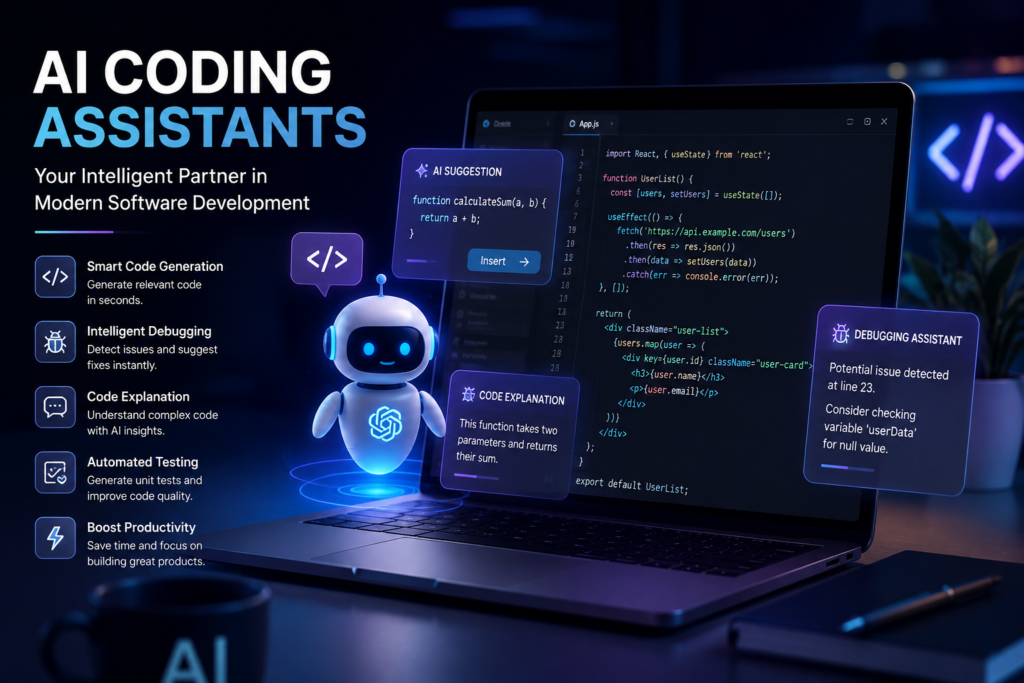
The way software is built is undergoing a fundamental transformation. This isn’t just about better autocomplete; it’s about having an AI pair programmer that understands your codebase, can generate entire functions from natural language descriptions, and even autonomously fix bugs and refactor your code.
AI Coding Assistants: The Ultimate Guide to Intelligent Code Generation, AI-Powered Development, Automated Debugging, and Enterprise Software Engineering
Today, the adoption is staggering. According to Stack Overflow’s 2025 Developer Survey, 84% of over 49,000 respondents are already using or plan to use AI in their development processes, with 50.6% of professional developers using these tools daily . This seismic shift is not a passing trend—it represents a new paradigm in software engineering.
💡 Key Takeaway: AI Coding Assistants are evolving from simple autocomplete tools into autonomous agents capable of significantly enhancing developer productivity, code quality, and the entire software development lifecycle.
Table of Contents
- What Are AI Coding Assistants?
- How AI Coding Assistants Work
- Key Features of AI Coding Assistants
- Popular AI Coding Assistants
- GitHub Copilot
- ChatGPT
- Claude Code
- Cursor AI
- Gemini Code Assist
- Amazon Q Developer
- Windsurf
- Tabnine
- Codeium
- Comparison Tables
- The AI Coding Workflow
- AI Pair Programming
- Enterprise Use Cases
- Key Benefits
- Limitations and Challenges
- Security Best Practices
- Best Practices for Using AI Coding Assistants
- AI Coding in DevOps
- AI Coding and Software Testing
- AI Coding in Enterprise Development
- Future Trends
- Frequently Asked Questions (FAQ)
- Conclusion
1. What Are AI Coding Assistants?
Definition
An AI Coding Assistant is a software tool powered by Artificial Intelligence that helps developers write, review, debug, and understand code. These tools leverage Large Language Models (LLMs) to understand the context of your codebase and provide intelligent suggestions, explanations, and even complete code generation . Gartner defines these assistants as tools that use foundation models to “generate and analyze software code and configuration” .
Core Concepts
- AI Code Generator: Automatically creates code based on natural language descriptions or existing code context.
- AI Programming Assistant: Acts as a collaborator, offering suggestions, explaining complex logic, and troubleshooting errors.
- AI Pair Programming: A methodology where the AI acts as a “pair” to a developer, reviewing their code and suggesting improvements in real-time.
History and Evolution
- Early 2000s-2010s: Simple IDEs and code editors offered basic autocomplete based on static analysis. Tools like IntelliSense and Eclipse were the standard.
- 2018: Tabnine was launched as one of the first AI-powered code completion tools, using deep learning to predict code .
- 2021: GitHub Copilot, powered by OpenAI Codex, revolutionized the market by suggesting entire lines and functions in context .
- 2023-Present: The focus has shifted towards autonomous agents. Tools like Claude Code and Cursor AI now feature “agentic” capabilities that can plan and execute multi-step tasks, fix bugs, and even run terminal commands .
Why They Matter
AI coding assistants are not just “nice-to-haves”; they are becoming essential tools for competitive development. They help accelerate project timelines, reduce boilerplate code, lower the barrier to entry for new developers, and improve overall code quality. Gartner predicts that by 2028, 90% of enterprise software engineers will use AI code assistants, up from less than 14% in early 2024 .
2. How AI Coding Assistants Work
Understanding the technology behind these tools is key to using them effectively.
Large Language Models (LLMs)
At the heart of every AI coding assistant is a Large Language Model. These models are trained on massive datasets of public code and natural language. Examples include OpenAI’s GPT, Google’s Gemini, and Anthropic’s Claude.
Key Technical Components
- Transformers: The neural network architecture that allows these models to process sequences of data (like code) and understand the relationships between tokens.
- Embeddings: The mathematical representation of code tokens. By converting code into high-dimensional vectors, the AI can find semantically similar code snippets.
- Context Window: This is the amount of text (code and prompts) the AI can “remember” at once. Larger context windows allow the AI to understand an entire file, multiple files, or even a whole project structure .
- Retrieval-Augmented Generation (RAG): Enterprise tools use RAG to retrieve relevant information from your private codebase and documentation to provide more accurate suggestions .
- Vector Search: Used to find code snippets that are semantically similar to the query or context, helping the AI understand the developer’s intent.
- Prompt Engineering: The art of crafting the input (the prompt) to get the desired output from the AI. This is a crucial new skill for developers .
- Memory: Modern tools can “remember” specific contexts from conversation history, making the interaction more seamless.
3. Key Features
Modern AI coding assistants are feature-rich beyond simple code completion. These are the core capabilities that are transforming developer workflows :
- ✨ Smart Code Completion: Context-aware autocomplete suggestions for variables, functions, and entire blocks of code.
- 📝 Natural Language to Code: Generate code simply by describing what you want in plain English (e.g., “write a function to fetch user data from an API”).
- 🐛 Bug Detection & Debugging: AI can scan your code to identify logical errors, security vulnerabilities, and potential performance bottlenecks, and sometimes even auto-fix them .
- 📖 Code Explanation: Great for onboarding, these tools can explain complex, undocumented legacy code.
- 🔧 Code Refactoring: Suggest ways to restructure code for better readability, efficiency, and maintainability.
- ✅ Unit Test Generation: Automatically generates unit tests based on your code, ensuring better test coverage and code quality .
- 📚 Documentation Generation: Creates docstrings, Javadoc, or other documentation.
- 💬 Pull Request Assistance: Provides AI-generated summaries of changes in a pull request, highlighting what reviewers should focus on .
- 💻 Terminal Command Suggestions: Get AI-generated command-line suggestions and explanations.
4. Popular AI Coding Assistants
The market is crowded. Here’s a look at the top contenders for 2026.
GitHub Copilot
Developed by GitHub and OpenAI, it’s the market leader. It offers chat assistance, inline code suggestions, and autonomous agent capabilities. It’s deeply integrated into VS Code, JetBrains, and other IDEs . Features include the ability to assign it to GitHub issues autonomously .
Claude Code
From Anthropic, Claude Code is an agentic tool that can work in multiple environments. It excels at “agentic loops”—planning and executing tasks autonomously. It can run commands and edit files in your terminal or IDE .
Cursor AI
A standalone AI-native IDE forked from VS Code. It’s known for its deep codebase understanding, powerful autocomplete, and a dedicated “Agent” mode that can plan and execute complex tasks .
Gemini Code Assist
Google’s offering integrates with VS Code and JetBrains. It features code generation, completions, and smart actions. The Enterprise version offers “Code Customization” to tailor suggestions based on your private codebase . It also extends to Google Cloud services like BigQuery and Apigee .
Amazon Q Developer
A Leader in Gartner’s Magic Quadrant, it’s highly optimized for AWS environments and offers code transformation for legacy modernization .
Windsurf (by Codeium)
Windsurf is centered around an agent called “Cascade,” which can autonomously run terminal commands, edit files, and fix errors across the codebase. It offers a standalone IDE or a plugin for JetBrains .
Tabnine
Known for its “privacy-first” approach, Tabnine offers SaaS, VPC, and on-premises deployments. Its Enterprise Context Engine learns from your team’s codebase to provide tailored suggestions .
Comparison Table: Top AI Coding Assistants
| Tool | Best For | Key Feature | Pricing (Approx.) | Enterprise Support | Privacy |
|---|---|---|---|---|---|
| GitHub Copilot | General All-Rounder | Autonomous code review/issue resolution | $10+/month | ✓ | Standard |
| Cursor AI | AI-Native Experience | Deep agentic codebase understanding | $40+/month | Expanding | Standard |
| Claude Code | Autonomous Agent Power | Cross-environment autonomous execution | $17+/month | ✓ | Standard |
| Gemini Code Assist | Google Cloud Ecosystem Integration | Code customization & enterprise context awareness | $19+/month | ✓ (Enterprise) | Enterprise-Grade |
| Amazon Q Developer | AWS Legacy Modernization | Code transformation for migration | Contact AWS | ✓ | Enterprise-Grade |
| Windsurf | IDE Integration | Powerful AI agent with external integrations | $20+/month | ✓ | Standard |
| Tabnine | Privacy-First Deployments | On-premises, fine-tuned models | $39+/month | ✓ (On-prem) | Excellent |
5. The AI Coding Workflow
AI assistants can inject intelligence at every stage of the Software Development Life Cycle (SDLC).
- Idea & Planning: Use AI to brainstorm architecture, compare technologies, and create high-level designs. Example: Ask Claude Code to create a design document for a microservice.
- Coding: Generate boilerplate code, write entire functions, and get inline suggestions. This is where the classic “code completion” shines .
- Debugging: Use AI to analyze stack traces, point out logical errors, and propose fixes .
- Testing: Prompt the AI to “write unit tests for this class in Jest,” saving immense time .
- Documentation: Automatically generate JSDoc or function comments.
- Deployment: Use terminal command suggestions to write Dockerfiles,
kubectlcommands, or CloudFormation scripts. - Maintenance: Use AI for code review, migration, and refactoring to keep the system healthy.
6. AI Pair Programming
Benefits
- Developer Productivity: It reduces context switching. Developers can stay in the flow state longer .
- Code Quality: AI catches syntax errors and suggests best practices.
- Learning: Junior developers can learn by seeing alternative solutions and explanations.
- Knowledge Sharing: AI can explain complex codebases, reducing the bus factor.
Real Example: A developer working on a Python Flask API can use an AI tool to automatically generate CRUD operations, define database models, and structure the routes just by describing the requirements.
7. Enterprise Use Cases
- Software Companies: Accelerating feature development and automating mundane tasks.
- Healthcare: Writing secure, compliant data-processing pipelines.
- Finance: Analyzing legacy COBOL code and modernizing it to Java or Python .
- Cybersecurity: Automating the detection and patching of vulnerabilities .
- Internal Developer Platforms: Writing and maintaining infrastructure as code (IaC).
- Cloud Migration: Using tools like Amazon Q Developer to transform legacy applications to cloud-native microservices .
8. Key Benefits
- 🚀 Faster Development: Accelerates coding speed by reducing repetitive typing.
- 🐞 Reduced Bugs: Identifies potential errors before runtime.
- 📝 Better Documentation: Ensures code is always accompanied by descriptions.
- 🧠 Learning: Helps developers explore new languages or frameworks.
- 💰 Lower Costs: Reduces the cost of hiring for specialized tasks.
9. Limitations and Challenges
Despite their power, these tools have significant limitations:
- Hallucinations: AI can generate code that compiles but is logically incorrect, leading to hidden bugs .
- Security Risks: They might suggest insecure code (e.g., using a vulnerable library version) or leak sensitive data via prompts .
- Licensing: There are concerns about copyright of generated code (trained on public repositories) and the “viral” nature of open-source licenses.
- Context Limits: AIs have a limited context window, so they can only “see” so much of a large monolith at a time.
- Vendor Lock-in: The quality of suggestions varies with the underlying model, making it hard to switch providers.
10. Security Best Practices
⚠️ Crucial: Do not paste secrets, API keys, or PII into AI prompts, as they may be stored and used for training .
- Secure Prompts: Treat prompts as code input—do not trust them.
- Code Reviews: Always review AI-generated code. The AI is a “pair programmer,” not a replacement for a human reviewer.
- Enterprise Governance: Enterprises should use tools that are SOC2 compliant and offer VPC-SC.
- OWASP Recommendations: Treat AI usage as part of your standard security lifecycle (SAST/DAST) .
11. Best Practices for Using AI Coding Assistants
- Prompt Engineering: Be specific. Instead of “write a function,” try “write a Python function using the
requestslibrary that handles a 404 error gracefully.” - Context Engineering: The more relevant code you have open in your IDE, the better the suggestion.
- Human-in-the-loop: Never blindly accept AI suggestions. Understand the code before merging.
- Documentation: Document your tests. AI works best with clear instructions.
12. AI Coding in DevOps
AI has the potential to revolutionize GitOps and Infrastructure as Code (IaC) .
- CI/CD Pipelines: Generate GitHub Actions or Jenkins pipelines from natural language.
- Kubernetes: Write complex Helm charts or generate
kubectlcommands. - Cloud: Explain and generate Terraform or CloudFormation templates.
- Monitoring: Generate Prometheus queries or Grafana dashboards to monitor system performance.
13. AI Coding and Software Testing
This is perhaps the most impactful area.
- Unit Testing: Generate tests automatically for multiple scenarios.
- Integration/Regression: Analyze changes to predict which existing tests might break.
- QA Automation: Use AI to generate Playwright or Selenium scripts based on UI descriptions.
14. AI Coding in Enterprise Development
For large enterprises, the focus shifts from “writing code” to legacy modernization. Gartner notes that 80% of software engineering leaders will need to be prompt (or context) engineers by 2027 .
Legacy Modernization: Tools like Amazon Q Developer can analyze COBOL code and transform it into a modern, cloud-native Java microservice, dramatically cutting migration timelines .
15. Future Trends
- Agentic AI: Moving towards autonomous developers that can handle entire tasks (e.g., “Fix bug #123”) without human intervention .
- Self-Healing Code: Systems that automatically patch security vulnerabilities in production.
- Multimodal Coding: Building applications from UI mockups or screenshots using AI .
- Voice Programming: Using conversational voice to direct AI coding agents.
- AI-Native IDEs: Environments designed from the ground up for AI collaboration (vs. AI as an add-on). As Gartner notes, by 2028, a 30% productivity gain in software development will be achieved across enterprises through the application of multiple AI-powered tools .
16. Frequently Asked Questions (FAQ)
1. What is an AI Coding Assistant?
It’s a software tool powered by Large Language Models that assists developers in writing, debugging, and understanding code. It acts like a pair programmer.
2. How does GitHub Copilot work?
It uses an LLM trained on public code to provide code suggestions in your IDE based on your current context.
3. Is AI code generation secure?
It can be. However, there is a risk of generated code containing vulnerabilities. It is crucial to perform thorough code reviews and avoid exposing secrets in prompts.
4. What is Prompt Engineering?
The process of writing clear and specific instructions (prompts) to guide the AI to generate the desired output. It is now a highly important skill for developers.
5. What is the difference between a Chat Assistant and an Agent?
A Chat Assistant provides suggestions and answers (human-in-control). An Agent acts autonomously to edit files, run commands, and iterate on tasks to achieve a specific goal.
6. Are these tools only for software engineers?
No. The rise of “vibe coding” platforms like Replit and Lovable allows non-technical users to build applications by simply describing their idea.
7. What is Cursor AI?
Cursor is an AI-native code editor (forked from VS Code) with deep codebase understanding and powerful agentic capabilities.
8. Can AI generate unit tests?
Yes, this is a standard feature where you can select a function and ask the AI to “write unit tests” for it.
9. What is Code Refactoring in the context of AI?
It’s the process of using AI to restructure existing code to improve its structure, readability, or performance without changing its external behavior.
10. Can AI code assistants generate SQL queries?
Yes. Using natural language to generate SQL queries is a key feature, especially in platforms like Google’s databases.
11. Are all AI coding tools cloud-based?
No. While many are SaaS, tools like Tabnine and certain enterprise offerings provide on-premises or VPC deployment for strict compliance.
12. How much do these tools cost?
There is a range from free-tier plans, to $10-$20/month for individuals, to enterprise plans that are custom-priced for larger teams.
13. Will AI replace software developers?
It’s highly unlikely. Instead, it will augment developers, allowing them to focus on complex architecture and problem-solving while AI handles boilerplate code.
14. What are AI hallucinations in coding?
The AI generates code that is syntactically correct but logically flawed, leading to hidden bugs that are tricky to catch.
15. What is Amazon Q Developer?
Amazon’s AI coding assistant optimized for AWS, known for code transformation and modernization capabilities.
16. How does Claude Code work?
It’s an agentic coding tool from Anthropic that uses an “agentic loop” to autonomously read, edit, and run commands in various developer environments.
17. What is Tabnine best used for?
It is best for organizations with strict privacy and compliance requirements, as it offers on-premises deployment.
18. What are the best practices for using these tools?
Focus on prompt engineering, secure prompts, context engineering, and always maintain a “human-in-the-loop” for reviews.
19. How is AI used in DevOps?
Used to generate CI/CD pipelines, write and fix IaC (like Terraform), manage Docker/Kubernetes configurations, and monitor logs.
20. What is the future of AI coding?
The future of AI coding is centered on intelligent AI agents that can write, debug, test, and optimize code with minimal human intervention. As AI models continue to improve, developers will spend less time on repetitive tasks and more time solving complex problems and designing innovative solutions. AI coding assistants will become essential partners in software development, boosting productivity, code quality, and collaboration across teams. However, human expertise will remain crucial for architecture, security, creativity, and final decision-making.
17. Conclusion
AI coding assistants have quickly become an indispensable part of the modern software engineer’s toolkit. They are democratizing software development, accelerating enterprise innovation, and fundamentally shifting the skills required to be a developer.
From the traditional autocomplete of the past to the autonomous agents of today, these tools are poised to deliver a 30% productivity gain by 2028 . However, they are tools, not replacements. The future of software engineering is not man vs. machine, but man + machine.
🚀 Actionable Next Steps:
- For Developers: Start today. Try GitHub Copilot Free or Cursor AI. Invest time in learning prompt engineering. Review suggestions carefully and treat it as a learning partner .
- For Organizations: Establish clear governance policies that balance security with the speed of innovation. Invest in enterprise solutions that respect data privacy and IP indemnification.
- For Students: Embrace AI as a tutor. Use it to learn new languages or explore complex concepts, but ensure you understand the fundamentals so you can guide the AI correctly.
The era of intelligent coding is here. It is time to integrate these powerful assistants into your workflow to achieve more, learn faster, and build better software.

Leave a Reply